> For the complete documentation index, see [llms.txt](https://documentation.efalia.com/llms.txt). Markdown versions of documentation pages are available by appending `.md` to page URLs; this page is available as [Markdown](https://documentation.efalia.com/produit/efalia-capture/administration/surveillance.md).
# Surveillance d'Efalia Capture
### Emplacement des logs
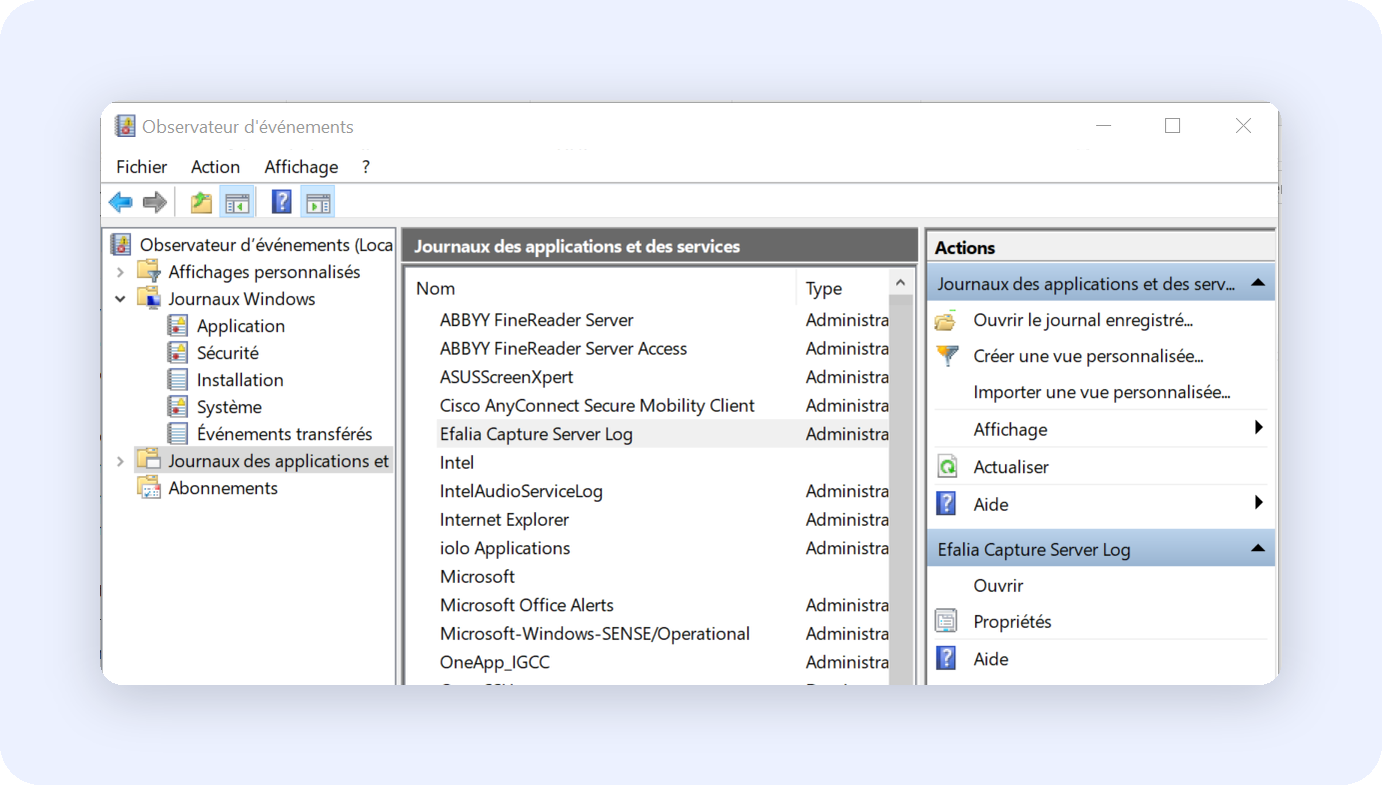
* Emplacement : Observateur d'évènements > Journaux des applications et des services > Efalia Capture Server Log
* Niveau de log : Information, Warning, Error
### Vérification périodique à effectuer
Les vérifications à effectuer périodiquement sont les suivantes :
* État du service Windows (Running)
* Espace disque disponible dans les répertoires surveillés
* Connectivité réseau vers Efalia Doc
* Traitement des fichiers en erreur
#### Commandes de diagnostic
```powershell
# Vérifier l'état du service
Get-Service "EfaliaCapture"
# Consulter les derniers événements
Get-EventLog -LogName "Application" -Source "Efalia Capture Server Log" -Newest 50
# Vérifier l'espace disque disponible sur le chemin configuré
Get-PSDrive -PSProvider 'FileSystem' | Where-Object { $_.Root -eq 'C:\' }
# Test connectivité
Test-NetConnection -ComputerName "efalia-doc-server" -Port 1202
```
#### Test et validations
{% stepper %}
{% step %}
### Vérification du service
```powershell
# Vérifier état service
Get-Service "EfaliaCapture" | Select-Object Status, StartType
# Vérifier logs démarrage
Get-EventLog -LogName "Application" -Source "Efalia Capture" -EntryType Information -Newest 1
```
{% endstep %}
{% step %}
### Test fonctionnel
| Test | Procédure | Validation |
| ------------- | ---------------------------- | ---------------------------------- |
| Service | Vérification service Windows | Service « Efalia Capture » running |
| Numérisation | Test scanner vers dossier | Fichier apparait dans un dossier |
| Traitement | Attente 30 secondes max | Fichier disparait du dossier |
| Réception | Connexion Efalia Doc | Document visible dans une bannette |
| {% endstep %} | | |
{% step %}
### Test alternatif
```powershell
# Copier d'un fichier au format pdf à la main ou via powershell
Copy-Item "test.pdf" -Destination "D:\scan\input"
# Surveiller traitement
Get-ChildItem "D:\scan\input" -Filter "test.pdf" -Wait
```
{% endstep %}
{% endstepper %}
### Dépannage
Procédures de dépannage
**Service ne démarre pas**
1. Vérifier les logs système
2. Valider la configuration dans Settings.json
3. Tester les droits d'accès du compte de service sur le répertoire d'installation
**Documents non traités**
1. Vérifier les droits sur les répertoires configurés dans ImportFolders
2. Valider la connectivité réseau vers les chemins réseau (si utilisés)
3. Tester l'authentification Efalia Doc
---
# Agent Instructions
This documentation is published with GitBook. GitBook is the documentation platform designed so that both humans and AI agents can read, navigate, and reason over technical content effectively. Learn more at gitbook.com.
## Querying This Documentation
If you need additional information that is not directly available in this page, you can query the documentation dynamically by asking a question.
Perform an HTTP GET request on the current page URL with the `ask` query parameter, and the optional `goal` query parameter:
```
GET https://documentation.efalia.com/produit/efalia-capture/administration/surveillance.md?ask=&goal=
```
`ask` is the immediate question: it should be specific, self-contained, and written in natural language.
`goal` is optional and describes the broader end goal you are ultimately trying to accomplish on behalf of the user. GitBook uses it to tailor the answer towards what is most useful for that goal.
The response will contain a direct answer to the question and relevant excerpts and sources from the documentation.
Use this mechanism when the answer is not explicitly present in the current page, you need clarification or additional context, or you want to retrieve related documentation sections.