> For the complete documentation index, see [llms.txt](https://documentation.efalia.com/llms.txt). Markdown versions of documentation pages are available by appending `.md` to page URLs; this page is available as [Markdown](https://documentation.efalia.com/produit/acropolis/installation/reglage-iis.md).
# Réglage IIS
Cette procédure permet de modifier le délai d'inactivité dans le serveur web IIS. Il est alors possible d'augmenter ce délai afin que les utilisateurs puissent conserver l'accès via le navigateur à Acropolis durant ce délai sans être déconnectés en cas d'inactivité.
De plus cette procédure permet de fixer la taille maximum des fichiers à uploader sur le serveur ainsi que le délai maximum autorisé lors de cet upload.
{% stepper %}
{% step %}
### Inactivité (durée de vie du cookie)
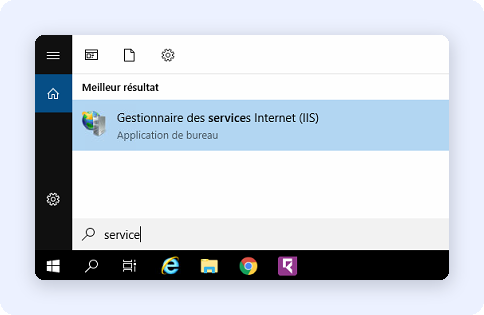
Se connecter à IIS :
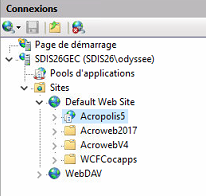
Dans l'arborescence (partie gauche) cliquer sur Acropolis 5 :
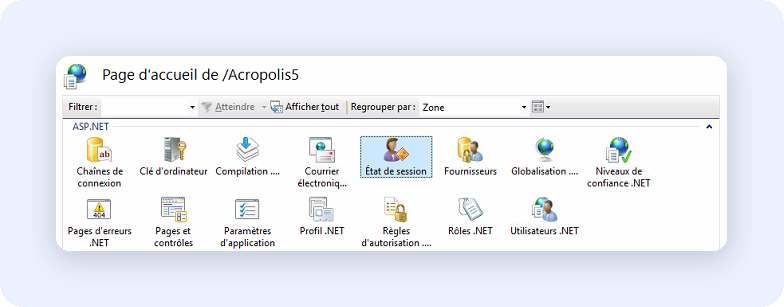
Dans la partie centrale faire un double clic sur Etat de session :
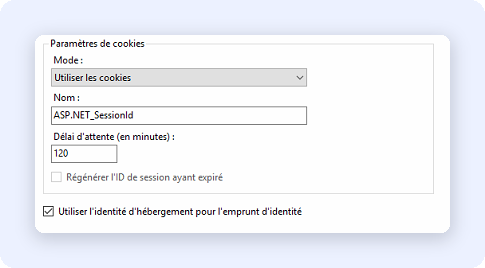
Dans la section Paramètres de cookies, modifier la valeur Délai d'attente (**minutes**) avec la durée souhaitée.
Ne pas oublier de sauvegarder (dans la partie droite).
{% endstep %}
{% step %}
### Pool d’application
Réglage de la durée de l'application Acropolis dans le serveur web.
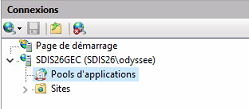
Dans l'arborescence (partie gauche) cliquer Pools d'applications :
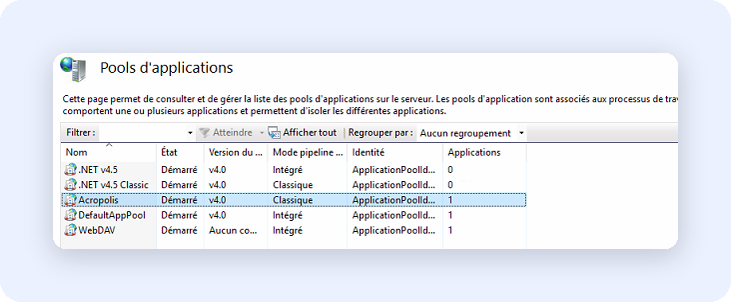
Dans la fenêtre centrale, choisir Acropolis :
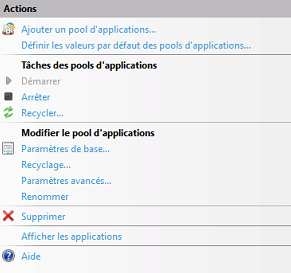
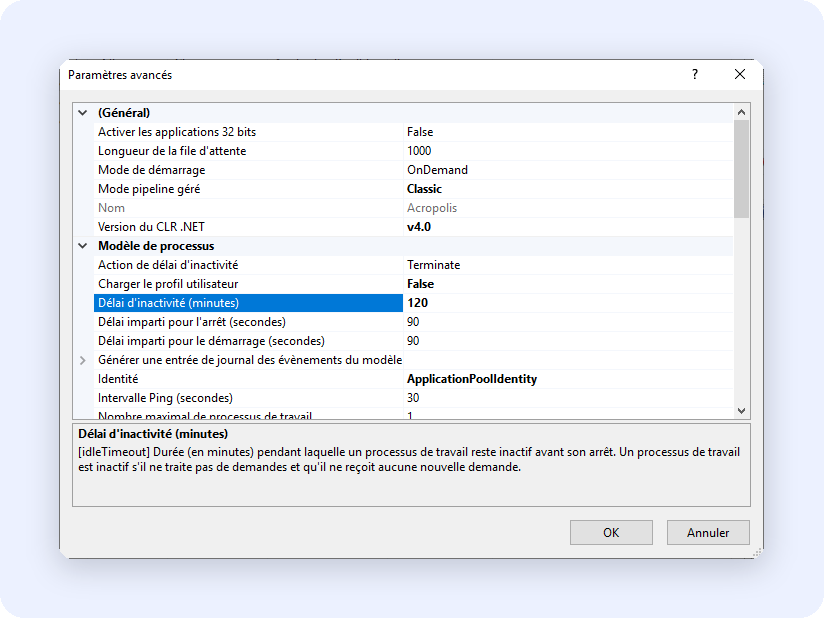
Dans la partie droite cliquer sur Paramètres avancés :
Dans la section Modèles de processus, modifier la valeur Délai d'inactivité (**minutes**) avec la durée souhaitée. Mettre la même valeur que précédemment.
Appuyer sur OK pour sauvegarder les modifications.
{% endstep %}
{% endstepper %}
## Upload de fichiers
Pour modifier la taille maximale des fichiers à uploader, il faut modifier le fichier **Web.config** situé (généralement) sous :
C:\inetpub\wwwroot\Acroweb2017
```xml
```
maxRequestLength : correspond à la taille maximum du fichier pour les uploads en KiloBytes.
1 megabyte=1024K, donc si l'on souhaite 10MB, il faut saisir 10240.
200000 correspond à 195 MB ou 195 Mo.
executionTimeout : correspond au délai maximum autorisé pour l'exécution de toutes les demandes (exécution de page, upload …). 600 = 10 minutes
---
# Agent Instructions
This documentation is published with GitBook. GitBook is the documentation platform designed so that both humans and AI agents can read, navigate, and reason over technical content effectively. Learn more at gitbook.com.
## Querying This Documentation
If you need additional information that is not directly available in this page, you can query the documentation by asking a question.
Perform an HTTP GET request on the following URL with the `ask` and `goal` query parameters:
```
GET https://documentation.efalia.com/produit/acropolis/installation/reglage-iis.md?ask=&goal=
```
`ask` is the immediate question: it should be specific, self-contained, and written in natural language.
`goal` is what the user is ultimately trying to achieve, the reason they need the answer. Sharing it helps GitBook give you a better, more relevant answer. A goal is most helpful when it describes the outcome the user wants rather than restating the question. For example, with `ask=how do I create an API token`, a goal like `automate deployments from our CI pipeline` lets GitBook tailor the answer to that use case.
The response will contain a direct answer to the question and relevant excerpts and sources from the documentation.
Use this mechanism when the answer is not explicitly present in the current page, you need clarification or additional context, or you want to retrieve related documentation sections.